
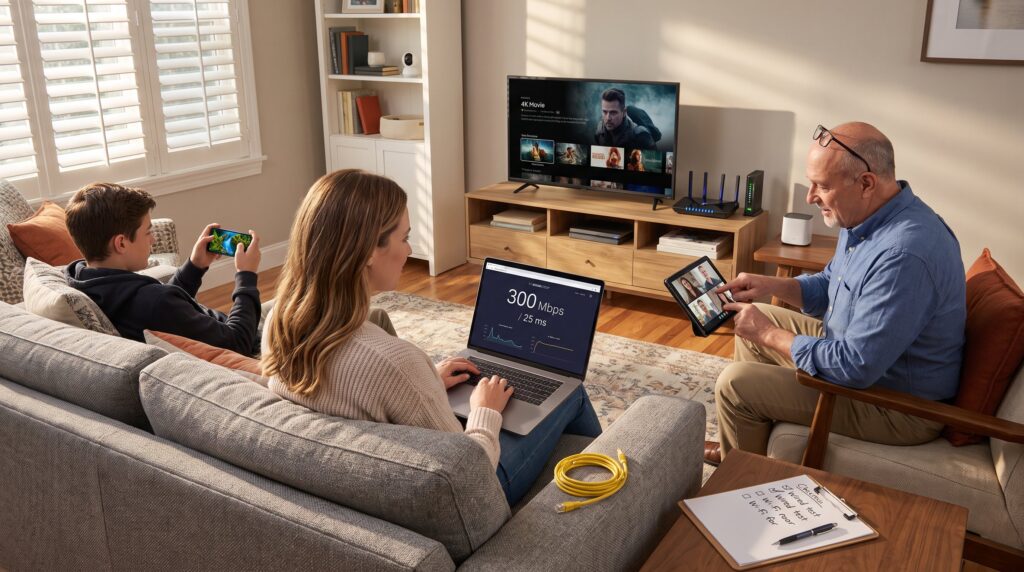
What Internet Speed Does Your Household Need? The question lands in inboxes, rental applications, and holiday packing lists more often each year. This guide cuts through marketing claims and gives clear, practical answers for 2026: how Mbps, latency, and device counts translate into real-world performance, how to pick plans by household size, and how to test and upgrade a home connection without guesswork.
Key Takeaways
- Internet speed needs vary by household size and activity, with Mbps measuring throughput and latency affecting responsiveness.
- Singles and couples generally require 50–150 Mbps, while families should plan for 25–75 Mbps per active person plus extra for shared devices.
- Streaming 4K content demands about 25 Mbps per stream, gaming requires low latency under 50 ms, and remote work benefits from balanced upload and download speeds.
- Test your connection using wired and wireless speed tests to identify bottlenecks in your internet setup before upgrading.
- Optimize your home network by updating router firmware, using 5 GHz or 6 GHz Wi-Fi bands, and considering a mesh system for larger homes.
- Regularly reassess your internet speed needs as device counts and usage habits evolve to maintain smooth performance.
Understand Mbps, Latency, And Real-World Performance
Fact first: Mbps measures throughput (how many megabits move per second) while latency measures delay (how long a packet takes to travel). Mbps answers “how fast a download finishes.” Latency answers “how snappy a video call or game feels.”
A 100 Mbps download speed means a 1 GB movie should finish in roughly 80–90 seconds under ideal conditions. But actual speed at the device often falls 20–40% lower because of Wi‑Fi losses, router overhead, and busy networks. Users should expect variation: a fiber line reporting 500 Mbps might show 420–480 Mbps on a laptop across the room.
Latency matters for interactive tasks. For video calls under 100 ms latency feel fine: competitive gamers target <40 ms. High latency (200+ ms) makes remote collaboration jittery and online gaming laggy, even if Mbps looks ample.
A third metric, jitter, measures how consistent packet timing is. Jitter above 30 ms can cause call drops and pixelation. Providers sometimes advertise huge Mbps numbers but omit latency or jitter figures: always ask or test.
Common pitfall: buying purely on download Mbps. That mistake caused one family to upgrade to 1 Gbps for streaming while their router only supported 150 Mbps per device: streaming improved only slightly. Match the advertised line to realistic device and router capability.
Practical check: run three tests, wired, close-range Wi‑Fi, and a remote-room Wi‑Fi test, to see real performance differences. For guidance on privacy and security when testing and configuring networks, consult the site’s connectivity guides.
Speed Needs By Household Size: Simple Rules Of Thumb
Quick answer: start with a base per-person target and add 25–50% for shared activities. That gives a predictable plan when devices and habits change.
Singles and couples often need less total bandwidth than larger households. Families and shared homes need more headroom because simultaneous use multiplies.
The following sections give exact numbers and plan suggestions.
Singles and Couples: Typical Minimums and Ideal Plans
Answer first: for one or two people who browse, stream HD, and occasionally work from home, 50–150 Mbps is the practical range. If one person streams 4K while the other runs video calls, 200–300 Mbps is safer.
Example: a single remote worker who does daily video calls, cloud backups, and 4K streaming in evenings found 100 Mbps adequate but switched to 250 Mbps after adopting a smart home hub and security cameras, the extra bandwidth eliminated occasional call glitches.
Recommendations: choose a plan that matches peak habits, not average ones. If the household uses cloud backups or uploads large files, prioritize symmetrical upload speed. To compare plans and pricing, readers can consult the site’s guide on how to choose the right ISP.
Families and Shared Homes: How Many Mbps Per Person?
Straight answer: plan 25–75 Mbps per active person, then add 20–40% for shared devices and background tasks. Active means streaming, gaming, video calling, or heavy downloads.
Concrete scenario: a four-person household with two remote workers and two teens streaming 4K simultaneously needs roughly 4 × 50 Mbps = 200 Mbps baseline. Add 30% for cameras, smart speakers, phone backups, and peaks = ~260 Mbps. In practice, a 300–500 Mbps plan gives comfortable headroom and future-proofs for new devices.
Warning from experience: many homes underestimated camera traffic. A house with six continuous-stream 1080p security feeds consumed roughly 60–90 Mbps steady, that pushed a previously adequate 200 Mbps plan to saturation during evenings.
If budget constrains choices, prioritize upload for work-from-home adults and a higher single-device speed (e.g., Wi‑Fi 6E router) to avoid per-device caps caused by old hardware. For readers configuring home networks, the article on fibre vs cable internet helps decide between technologies.
Activity-Based Guidelines: Streaming, Gaming, Work And Smart Devices
Answer up front: different activities stress different parts of the connection, streaming needs steady Mbps, gaming needs low latency, and cloud backups need high upload.
Streaming: HD needs 5–8 Mbps per stream. 4K needs 25 Mbps per stream. For three simultaneous 4K streams, budget 75–100 Mbps plus overhead.
Gaming: competitive play benefits from <50 ms latency and 3–10 Mbps download per player. But downloads of big game files require large Mbps bursts, a 100 GB title downloads faster on 500 Mbps than on 100 Mbps.
Work and remote collaboration: video conferencing uses 1–3 Mbps up and down for standard calls, 3–6 Mbps for group HD calls, and 10–20 Mbps for multi-participant 4K meetings. Upload matters: a content creator uploading raw 10 GB files weekly will save hours with higher upload speeds.
Smart devices: lights and sensors use little bandwidth but cameras and hubs spike usage. A single 2 MP camera can stream 2–4 Mbps: a 4K camera uses 10–15 Mbps. Include smart devices in the total when planning.
A realistic pack: add up concurrent tasks and multiply by 1.2–1.4 for overhead. For a household that streams two 4K shows (50 Mbps), runs a 4K camera (15 Mbps), and has a video call (5 Mbps), a ~90–100 Mbps plan is the sensible minimum.
How To Test, Optimize, And Upgrade Your Home Connection
Clear action: test wired and wireless speeds, inspect the router, and decide whether the line, equipment, or Wi‑Fi is the bottleneck.
Testing steps: 1) Connect a laptop by Ethernet and run three speed tests at different times. 2) Test Wi‑Fi next to the router and in the problem room. 3) Measure latency and jitter during calls or gaming sessions. Document results to compare against advertised plan numbers.
Optimization tips: update router firmware, move the router from closed spaces, and use 5 GHz or 6 GHz bands for crowded apartments. Replace old routers that cap per-device throughput, a common hidden limiter. Mesh Wi‑Fi helps larger homes: place satellites halfway between the router and far rooms.
Upgrade choices: if the wired line shows low speeds, compare technology options, fiber usually offers consistent speeds and low latency versus cable. For evaluating providers, consult the site’s guide on how to compare internet service providers.
Security note and honest lesson: when one household upgraded routers without changing the ISP, speeds improved only 10–15% because the real limit was the cable modem. Always test the wired line before buying expensive Wi‑Fi gear. For router shopping, the page on router features lists the essential specs.
Also consider privacy and firewall settings while optimizing. The site adds practical advice on secure configuration in its privacy guide.
Conclusion
Practical insight: choose a plan that fits peak simultaneous use, not the monthly average. Aim for per-person targets, verify with wired tests, and match router capability to the line. Small investments, a modern router, a modest speed bump, or targeted mesh nodes, often fix the problems users blame on ISPs.
A final tip: revisit needs annually. Device counts and habits change quickly: a plan chosen today can feel tight after adding cameras or starting hybrid work. For foundational reading on staying current with home networking and security, see the site’s main connectivity guides.