
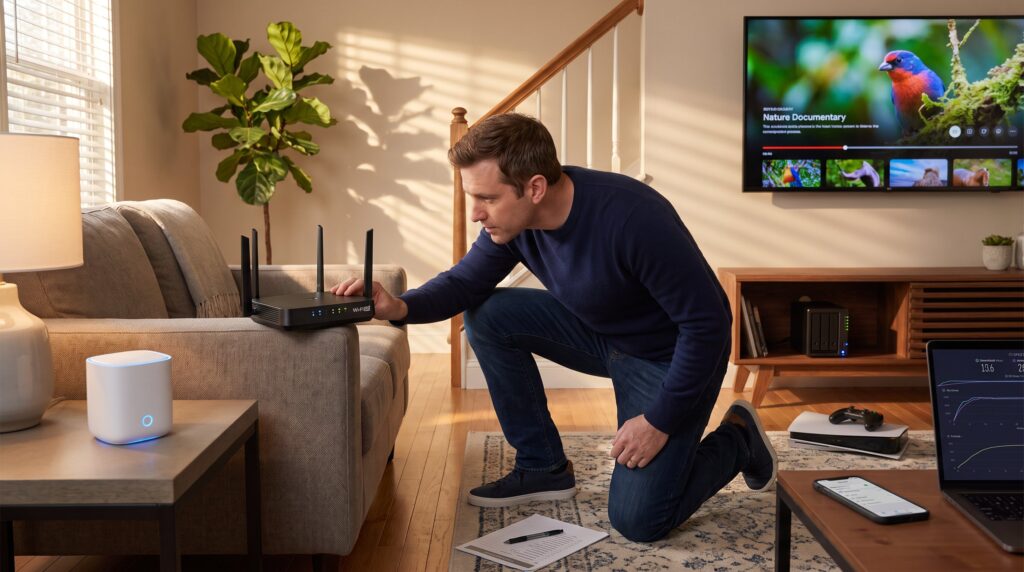
What to look for when choosing a Wi‑Fi router matters more now than ever. In 2026 households juggle dozens of connected devices, bandwidth‑hungry 4K streams, latency‑sensitive games, and privacy concerns. This guide gives clear, practical answers: which router type fits a floorplan, which Wi‑Fi version to prefer, how placement changes coverage, and which security features prevent easy breaches. It avoids jargon and focuses on the concrete tradeoffs buyers face when matching price, performance, and future needs.
Key Takeaways
- Choosing the right Wi-Fi router type—single-unit, mesh, or modem-router combo—depends on your home size and layout to ensure optimal coverage and performance.
- Prioritize routers that support Wi‑Fi 6 or 6E standards for best capacity, speed, and future-proofing in homes with multiple devices.
- Place your router centrally and elevated to maximize signal coverage, and consider mesh systems for multi-story homes to eliminate dead spots.
- Select routers with WPA3 security, automatic firmware updates, and strong privacy policies to protect your network from vulnerabilities.
- Focus on practical features like multi-gig Ethernet ports, QoS for traffic management, and sufficient LAN ports rather than gimmicks, matching router specs to your internet plan and household needs.
- Balance budget, household size, and use cases carefully to choose a router that offers reliable speed, coverage, and security without unnecessary expense.
Router Types Explained: Mesh, Single‑Unit, And Modem‑Router Combos
Fact first: pick the router type to match home size and layout. A single‑unit router is one box that often suffices for apartments and small houses. It is cheaper, simpler to configure, and can deliver strong speeds in a single open floor. But a single box struggles with staircases or thick walls: users often see dead spots on the second floor.
A mesh system gives predictable coverage by using two or three nodes that hand off devices as they move. For a 2,500–4,000 sq ft house with multiple obstructions, a three‑node mesh usually removes black spots. Mesh systems cost more, and some consumer meshes limit port counts on satellite nodes.
A modem‑router combo merges the ISP modem and router into one device. It cuts clutter and simplifies setup, but it often lacks advanced features, fewer firmware updates, and limited port options. For users who want full control or plan to upgrade Wi‑Fi later, a separate modem plus router is usually better.
When choosing, compare manufacturer claims with independent reviews. For deeper comparisons on mesh versus routers, the buying guide at The Verge provides useful context.
Performance Essentials: Wi‑Fi Standards, Bands, And Real‑World Speed
Answer upfront: real performance depends on Wi‑Fi standard, bands, and real‑world conditions, not just marketing numbers. Manufacturers quote top speeds by summing radios, which rarely matches household throughput. A router rated at 6 Gbps might deliver 300–800 Mbps at a single device across a typical home network.
Bands matter: 2.4 GHz travels farther and penetrates walls, but it is crowded: 5 GHz offers higher throughput with shorter range: 6 GHz (on Wi‑Fi 6E/7) gives wide clean channels for high speeds in uncluttered environments. For many families, a tri‑band router (2.4 GHz, 5 GHz, and 6 GHz) reduces contention when many devices stream simultaneously.
Check independent speed tests and note the router’s simultaneous device claims. If the household runs several 4K streams, multiple smart cameras, and cloud backups at once, prioritize routers that show strong multi‑client performance rather than headline peak rates.
For guidance on how much internet a household needs, consult the site’s practical breakdown on household speed needs.
Understanding Wi‑Fi Versions (Wi‑Fi 5, 6, 6E, And 7) And Why They Matter
Straight answer: choose at least Wi‑Fi 6 for most new purchases: pick 6E or 7 only if specific needs justify the cost. Wi‑Fi 5 (802.11ac) still works for basic browsing and single‑stream streaming but struggles with dense device counts.
Wi‑Fi 6 (802.11ax) improves capacity and latency by using OFDMA and better scheduling. Households with 20–50 devices, phones, IoT gadgets, tablets, TVs, see smoother performance under load. Wi‑Fi 6E adds the 6 GHz band, which offers wider channels and less interference: it’s most useful in dense apartment buildings or homes with many high‑bandwidth devices that sit in the same room as the router.
Wi‑Fi 7 is emerging with wider 320 MHz channels and features aimed at ultra‑low latency and extremely high throughput. It suits future‑proofing for households that plan to adopt multiple multi‑gig devices or local wireless links for pro video editing. But, real benefits appear only when client devices also support the new standard.
Buyers should weigh device compatibility today against upgrade cycles. For a balanced long‑term buy, Wi‑Fi 6E is often the sweet spot in 2026.
Coverage, Antennas, And Placement: How To Get Reliable Signal Throughout Your Home
Direct answer: central, elevated placement and attention to obstacles give the biggest coverage gains. Routers broadcast roughly like a light bulb: walls, metal HVAC, mirrors, and water (fish tanks) block the signal.
Place the router near the center of the living space and at least three feet off the floor. Pointed external antennas usually help directional coverage: high‑gain antennas reach farther across a floor but shrink side coverage. In multi‑story homes, put a mesh node on each floor in an open area, not in closets. A practical layout: main router on the primary living floor, one node near upstairs bedrooms, and one near a basement office.
Measure before buying: simple Wi‑Fi apps show dead zones and throughput at device locations. If a single router can’t deliver required speeds in all key rooms, a mesh system or targeted extenders are better choices. For extender comparisons, reputable buyer tests provide side‑by‑side results to guide purchases.
Security, Firmware Updates, And Privacy Features To Prioritize
Core point: choose routers that ship with WPA3 support, automatic firmware updates, and a clear privacy policy. Weak default passwords and outdated firmware remain the simplest path for attackers. For practical next steps, the site overview offers additional detail.
WPA3 is the modern encryption standard: routers that support both WPA2 and WPA3 allow for compatibility while enabling stronger security where supported. Automatic firmware updates reduce exposure to known vulnerabilities, routers that force manual updates often remain unpatched in typical homes.
Look for features such as a separate guest network, per‑device access controls, and the option to disable remote management. Buyers should read the router’s privacy statement: some consumer routers collect telemetry or route traffic through vendor clouds. Users who care about data handling can consult a short primer on browsing privacy and protections to match router choices with safer browsing habits.
Finally, ensure the router vendor provides an active update timeline, models older than three years often drop vendor support. For broader connectivity and privacy context, see the site’s security and connectivity guides.
Extra Features, Ports, And Future‑Proofing: What’s Worth Paying For
Quick take: prioritize features that solve current bottlenecks, multi‑gig Ethernet, sufficient LAN ports, and solid QoS, over flashy extras. A 2.5G or 10G WAN/LAN port matters when the home has a multi‑gig internet plan or a local NAS that will saturate gigabit ports.
USB ports let a router host a small NAS or printer, but performance is modest: if local storage speed matters, a dedicated NAS is still best. Quality of Service (QoS) and traffic shaping let parents or gamers prioritize traffic: test these features to confirm they actually reduce latency under load.
Other useful items: built‑in parental controls with time limits, DNS filtering, VLAN support for network segmentation, and SSO integration for business devices. Avoid paying premium solely for app skins or voice assistant gimmicks. If buying to last several years, Wi‑Fi 6E support and multi‑gig ports offer the best balance of near‑term gains and future proofing.
How To Choose The Right Router For Your Home: Budget, Household Size, And Use Cases
Clear guidance: match router capability to household size, internet plan, and dominant use cases. A single person in a studio who streams 1080p and browses casually will see little benefit from a top‑end Wi‑Fi 7 mesh: an affordable Wi‑Fi 6 single router is a better value.
A family with many phones, smart cameras, and multiple 4K streams should pick Wi‑Fi 6E mesh or Wi‑Fi 7 mesh if budget allows. Gamers and video producers should prioritize low latency features and multi‑gig ports. If the internet plan is under 500 Mbps, focus on coverage and latency rather than headline wireless throughput.
When comparing purchases, include the cost of potential add‑ons: additional mesh nodes, a managed switch, or a replacement modem. Also consider vendor support history and firmware update cadence, models with at least three years of active updates reduce long‑term risk.
For help comparing ISP speed needs and how they map to router choices, consult the site’s speed guidance before finalizing a purchase.