
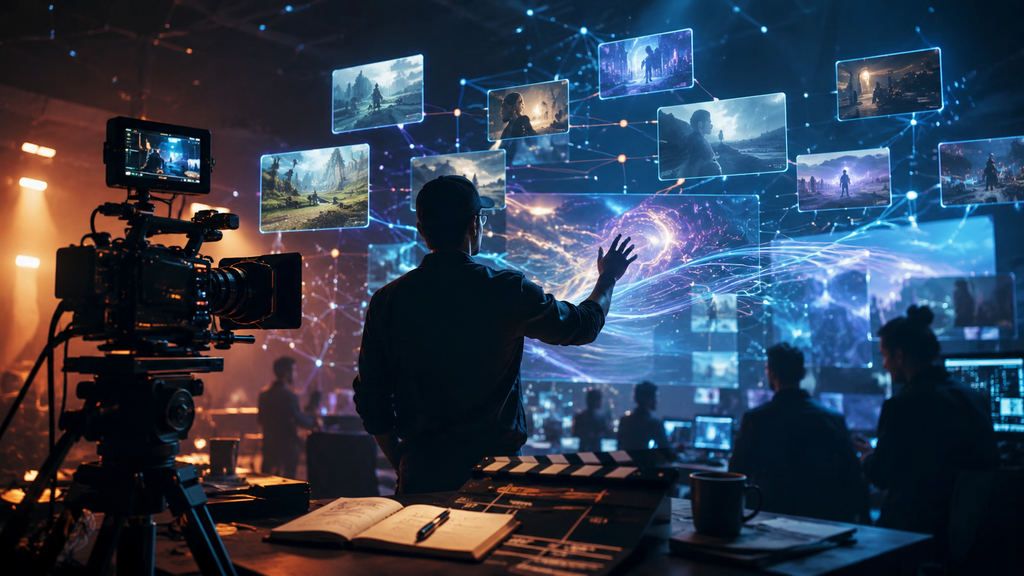
Creating videos with AI has evolved from generating short experimental clips into a more complete production process. Today, creators can use advanced AI video models to develop cinematic scenes, explore creative concepts, produce marketing videos, and support larger storytelling projects.
However, choosing the right model is becoming more complex. Each AI video model approaches generation differently. Some focus on realistic visuals, some prioritize motion quality, and others help creators move quickly from ideas to visual concepts.
For anyone exploring AI filmmaking, the question is no longer only about which model creates the most impressive single clip. The bigger question is which model fits the workflow, creative goal, and production requirements.
This comparison looks at five leading AI video models: Google Veo 3.1, Seedance 2.5, Kling 3.0, Gemini Omni Flash, and Nano Banana Pro. Each model has different strengths, making them suitable for different stages of creative production.
How should you compare AI video models?
The best AI video model depends on what you need to create. A filmmaker developing a narrative sequence may look for cinematic realism and camera control, while a marketing team may prioritize speed and the ability to create multiple versions.
Some important factors to consider include:
- Quality of generated visuals
- Motion consistency
- Character and object stability
- Camera movement control
- Reference image and video support
- Generation speed
- Ability to fit into a larger production workflow
In AI filmmaking, the model itself is only one part of the process. Planning, maintaining continuity, editing, and refining creative decisions are equally important when moving from an idea to a finished video.
Google Veo 3.1: A strong choice for cinematic storytelling
Google Veo 3.1 is designed for creators who want realistic visuals and cinematic control. It focuses on generating detailed scenes with natural movement, lighting, and camera direction.
The model is particularly useful for projects where visual quality and atmosphere matter. Filmmakers can use it for establishing shots, narrative scenes, advertisements, and visual concepts that require a polished look.
One of its key strengths is understanding detailed creative instructions. A creator can describe elements such as camera movement, subject placement, environment, and mood to guide the output.
For AI filmmaking projects, Veo 3.1 can be useful during production when creators need realistic scenes that match a specific visual direction.
However, larger projects often require more than individual scene generation. Maintaining the same characters, locations, and visual style across multiple shots requires additional planning and consistency tools.
Seedance 2.5: Built for dynamic movement and creative sequences
Seedance 2.5 focuses on motion-driven video generation. It is useful for creators who want energetic scenes, smooth movement, and visually engaging sequences.
The model can support projects such as product videos, cinematic clips, social media content, and creative storytelling where movement is central to the scene.
A major challenge in AI video creation is making multiple clips feel connected. A single impressive shot is useful, but a complete film or campaign requires consistency between scenes.
Seedance 2.5 can play an important role in workflows where creators need visually expressive shots and strong movement. It can be combined with other creative tools to build a broader production pipeline.
For example, a filmmaker may use one model for visual development, another for specific action sequences, and an editing workflow to bring everything together into a finished piece.
Kling 3.0: Focused on realistic motion and detailed visuals
Kling 3.0 is known for creating detailed video outputs with attention to movement and scene structure. It is often considered by creators who want realistic motion, character actions, and dynamic camera shots.
The model can be useful for storytelling scenes, product demonstrations, advertisements, and creative experiments where physical movement plays an important role.
For creators working on AI filmmaking projects, realistic motion is an important factor because audiences notice unnatural movement quickly. A model that handles motion well can help create more believable scenes.
However, video production involves several stages beyond generation. Character continuity, editing choices, sound design, and overall storytelling direction still influence the final result.
Gemini Omni Flash: Speed-focused creative exploration
Gemini Omni Flash is designed for fast creative workflows. It can help creators explore ideas, test concepts, and quickly move from a basic idea toward a visual direction.
Speed is valuable during early production stages. Directors, marketers, and creators often need to explore multiple concepts before selecting the final approach.
A faster model can help with brainstorming scenes, developing early visuals, and testing different creative possibilities before investing more time into production.
For AI filmmaking workflows, fast iteration can make the creative process more flexible. Teams can explore more options and refine their ideas before moving into final production.
Nano Banana Pro: Supporting visual development and references
Nano Banana Pro focuses on image creation and visual consistency. It can support creators during the planning stages by helping develop characters, environments, product visuals, and style references.
Images often become the foundation for video production. Before creating moving scenes, many creators first establish the look of characters, locations, and overall visual direction.
A structured reference process can make production smoother. An AI mood board generator tool can help organize visual inspiration, styles, and creative references before moving into video generation.
This type of preparation is especially useful for projects that require a consistent visual identity across multiple scenes.
Invideo Agent: Bringing multiple AI video models into one workflow
Invideo Agent takes a broader approach to AI filmmaking by focusing on the complete creative process rather than only video generation.
Instead of relying on one model for every task, it helps creators work across different stages of production, including planning, scripting, visual development, generation, and editing. It acts as an AI filmmaking collaborator that helps manage the larger project.
A key part of the workflow is project memory. invideo Agent can remember important creative details such as characters, locations, products, and visual style across different scenes, helping maintain consistency throughout a project.
Before moving into generation, creators can also organize their visual direction with its AI mood board generator. This helps bring together references for characters, environments, colors, lighting, and overall style, giving the project a clearer creative foundation before individual scenes are produced. When combined with invideo Agent’s project memory, these references can help maintain a consistent visual language throughout the workflow.
It also supports a crew-based workflow where creators can work with specialized roles such as creative producers, casting agents, and directors of photography. These agents can collaborate around the same project context instead of working separately.
Another important advantage is access to more than 200 image, video, audio, and music models. This allows creators to choose different models depending on the requirements of each shot instead of depending on a single generation system.
For example, a filmmaker could use different models for cinematic scenes, motion-heavy shots, visual references, and finishing workflows while keeping the overall project direction connected.
What is invideo Agent Two and how does it change creative workflows?
Invideo Agent Two builds on the AI filmmaking workflow by adding stronger project understanding and collaboration between expert agents.
This product version is designed for creators working on complex projects where remembering creative decisions matters. It can retain details such as character choices, lighting rules, and visual direction without requiring creators to repeat the same instructions.
Invideo Agent Two also introduces specialized expert agents that can work together. A creator can define roles such as a director of photography, casting director, or storyboard artist, and these agents can share project information with each other.
The agent can also understand different creative inputs, including scripts, PDFs, brand documents, Drive folders, YouTube links, and video files. This allows creators to bring existing materials directly into the workflow.
For larger projects involving multiple scenes, episodes, or campaign variations, this type of memory and collaboration can help reduce repeated setup work.
Which AI video model should you choose?
There is no single AI video model that works best for every creator. The right choice depends on the type of project and the stage of production.
Google Veo 3.1 is suitable for cinematic scenes and realistic visuals. Seedance 2.5 works well for motion-focused sequences. Kling 3.0 offers detailed movement and realistic scenes. Gemini Omni Flash helps with faster exploration, while Nano Banana Pro supports visual development and reference creation.
For many creators, the future of AI filmmaking will involve combining multiple models instead of choosing only one. Different models can contribute different strengths across planning, production, and editing.
How do AI review tools fit into AI video workflows?
As AI-generated content becomes more common, many creators and organizations are paying attention to transparency and content review.
AI Detector tools can help identify whether content may have been created or assisted by artificial intelligence. These tools can support review processes for publishers, educators, and businesses that want additional checks before publishing content.
They are not a replacement for creative review, but they can become part of a broader quality process alongside human judgment and editing.
Final thoughts
The best AI video model depends on your creative goals, workflow, and production needs. Veo 3.1, Seedance 2.5, Kling 3.0, Gemini Omni Flash, and Nano Banana Pro each offer different capabilities for different stages of video creation.
As AI video technology develops, creators are moving beyond single-generation tools toward complete production workflows. The ability to combine models, maintain creative consistency, and manage projects from idea to final edit is becoming increasingly important.
AI filmmaking is not only about generating better clips. It is about creating a connected process where technology supports storytelling, creative control, and efficient production.