
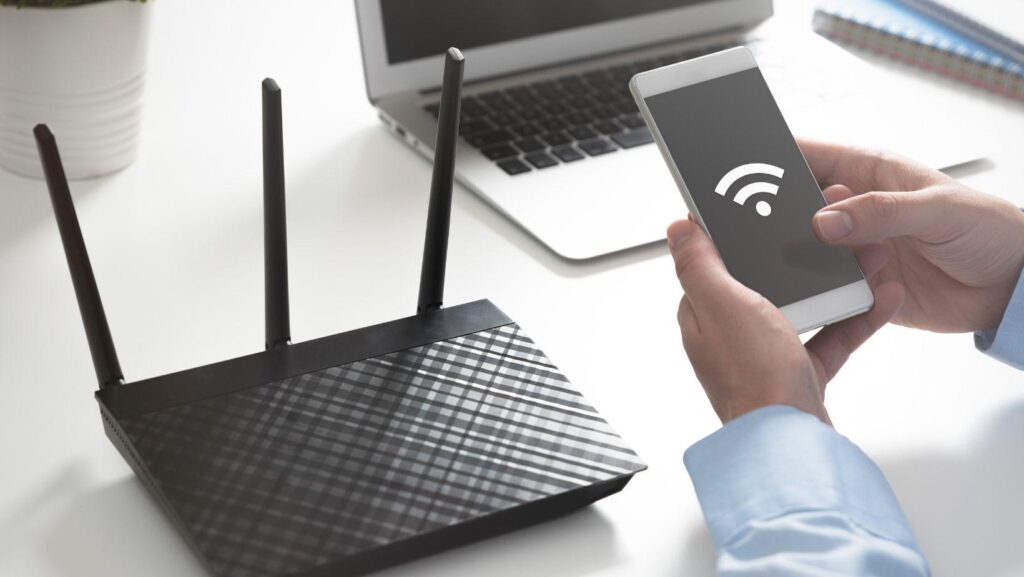
On August 13, 2026, SpaceX filed for FCC equipment certification on the UTR-261, Starlink’s first WiFi 7 home router. That sentence sounds like a footnote. It isn’t. The filing matters because the UTR-261 cleared a contested exemption from the FCC’s foreign-router ban, the same rule that reportedly left TP-Link on the outside looking in, according to reporting from Tech Times. If you’ve been living with a five-year-old router shoved behind the TV, this is the moment to actually pay attention.
WiFi 7 isn’t a marketing sticker. It’s a real jump in how much data your home network can push and how fast it responds. For most households that means faster downloads and fewer dead zones. For a smaller slice of us, the people gaming competitively, streaming in 4K while someone else is on a video call, or logging into real-money platforms from a phone on the couch, it means something sharper: a network that finally stops being the weak link.
What WiFi 7 Actually Changes at Home
The short version: WiFi 7 (802.11be) adds wider channels, higher-order modulation, and a feature called Multi-Link Operation that lets a device use multiple bands at once instead of picking one and sticking with it. Cisco’s technical breakdown puts theoretical speeds north of 40 Gbps and latency improvements aimed squarely at devices that can’t tolerate a stutter.
That’s the spec sheet. Here’s what it means in a living room with twelve connected devices fighting for bandwidth. Video calls stop freezing mid-sentence. Cloud saves sync before you’ve closed the laptop lid. And anything that depends on a constant, unbroken connection, a livestream, a multiplayer match, a payment confirmation, stops being a coin flip every time someone else in the house starts a download.
Multi-Link Operation is the detail worth remembering. Instead of your phone locking onto the 5GHz band and staying there even when it gets congested, the router can shift traffic across 2.4, 5, and 6GHz bands in real time. Fewer dropped packets. Less jitter. That’s the part gamers actually feel, even if they never read the spec sheet.
Where a Rock-Solid Connection Actually Matters
Most of what happens on a home network can absorb a hiccup. A paused video buffers for two seconds and nobody notices. A slow-loading webpage is mildly annoying at worst. But there’s a category of activity where a dropped packet isn’t cosmetic, it’s the difference between an action registering and it not.
Think live video calls where a freeze mid-sentence reads as rude. Think cloud gaming, where anything over 40ms of added latency turns a clean headshot into a miss. And think real-money platforms, where a spinning wheel or a stalled hand isn’t just annoying, it’s your money sitting in limbo while you stare at a loading icon. This is especially true for casinos that accept cryptocurrency, where blockchain confirmations and live-dealer video streams both punish a shaky connection twice over: once when the stream buffers, and again if a transaction has to be resubmitted because the packet never landed.
Gambling involves risk. Play responsibly and only wager what you can afford to lose. If it stops feeling like entertainment, resources like BeGambleAware.org and 1-800-GAMBLER exist for a reason.
The Bandwidth Math Nobody Does Until It’s Too Late
Here’s a number worth sitting with. A typical smart household in 2026 runs somewhere between 15 and 25 connected devices at any given moment. Smart bulbs. A doorbell camera. Two phones, a laptop, a smart TV, a game console, maybe a thermostat quietly phoning home every few minutes. None of that individually needs much bandwidth. Collectively it adds up to a router doing constant traffic management, whether it’s built for it or not.
Older routers, particularly anything running WiFi 5 or early WiFi 6 chipsets, weren’t designed for that device density. They choke under load, and the symptom isn’t a total outage, it’s intermittent lag that’s nearly impossible to diagnose. You blame the ISP. You blame the game server. Half the time it’s a five-year-old router quietly falling over under twenty devices it was never built to handle.
SpaceX’s own Starlink service built its reputation on low satellite latency back when that seemed like a contradiction in terms. Pairing that backbone with a WiFi 7 router closes the other half of the loop, the part between the modem and your actual device, which is usually where the real bottleneck lives anyway.
Should You Actually Upgrade, or Wait?
Not yet, and not blindly. A few things worth checking first.
Does your ISP plan even support the throughput WiFi 7 can deliver? If you’re on a 200Mbps plan, a $400 router upgrade won’t magically make pages load faster, the bottleneck lives upstream of your hardware. Second, how old is your current router, genuinely? If it predates 2021, the security patching alone justifies a replacement regardless of the WiFi standard. Third, how many devices are actually fighting for bandwidth in your house right now? Count them. The number is usually higher than you think.
If the answer to all three points toward an upgrade, the UTR-261 or its eventual competitors are worth watching once they hit retail. If your bottleneck is your ISP plan, no router fixes that.
Frequently Asked Questions
When will Starlink’s WiFi 7 router actually be available to buy? The FCC filing from August 13, 2026 covers certification, not retail availability. Historically, Starlink hardware reaches consumers a few months after FCC approval clears, so a late 2026 or early 2027 launch window is a reasonable guess, though SpaceX hasn’t confirmed a date.
Do I need a Starlink subscription to use the UTR-261 router? Based on prior Starlink hardware releases, the router is expected to work within the Starlink ecosystem, meaning it’s built to pair with Starlink internet service rather than function as a standalone router for any ISP.
Is WiFi 7 worth it if my internet plan is under 300Mbps? Probably not yet. WiFi 7’s biggest gains show up when your incoming connection can actually saturate the router’s capacity. Below 300Mbps, a solid WiFi 6 router will perform almost identically for a fraction of the cost.
What’s the real difference between WiFi 6 and WiFi 7 for gaming? The headline number is throughput, but the gaming-relevant change is Multi-Link Operation, which spreads traffic across bands to cut jitter. For competitive play, that consistency matters more than raw top speed.
Does a better router fix a bad ISP connection? No. A router manages traffic inside your home; it can’t add bandwidth your ISP isn’t delivering. If your connection is capped at 100Mbps, no router hardware changes that ceiling, you’d need a plan upgrade instead.
Watching This Space
The UTR-261 filing is early, but it’s a real signal that satellite internet is closing the gap with fiber on the parts that used to be its weak spot: consistency and jitter, not just raw speed. Whether that translates into a router worth buying will depend on retail pricing and how it performs outside a lab, details we won’t have for months. For now, the smarter move is auditing what’s actually slowing your home network down today rather than waiting on hardware that isn’t shipping yet.