
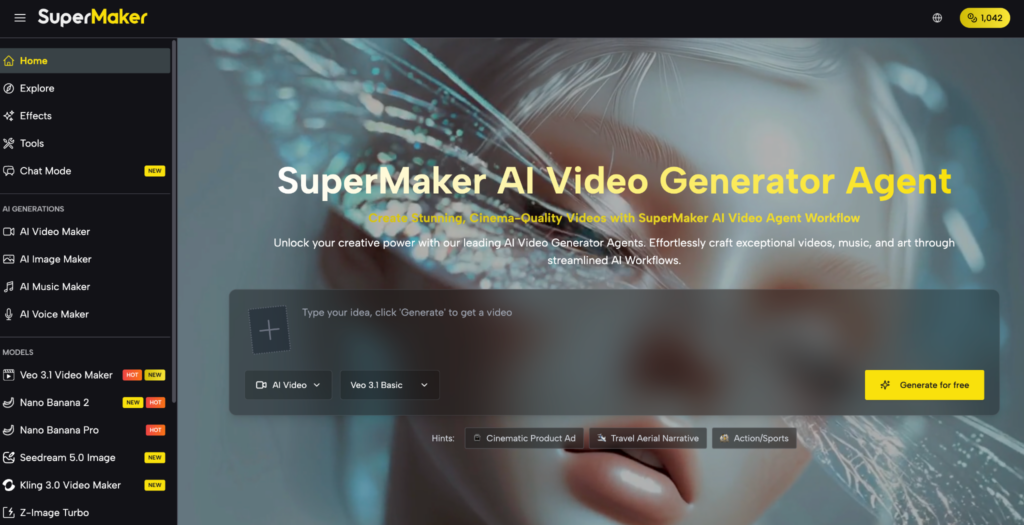
Marketing teams, e-commerce managers, and content departments all share the same pain: the constant need for fresh, high-quality visuals that outpaces what any design team can realistically deliver. Hiring designers, licensing stock photography, and waiting on revision cycles add cost and slow everything down. An AI Image Maker solves this at the root, giving teams the ability to generate on-brand, professional imagery on demand — without a single design tool open. For businesses operating at scale in 2026, this is no longer a nice-to-have. It’s a competitive necessity.
What Is an AI Image Maker?
An AI image maker is a platform that uses generative AI models to produce images from text descriptions, uploaded references, or both. A user describes the visual they need — a product on a white background, a lifestyle scene, a branded illustration — and the AI generates it within seconds.
For business teams, what matters most is not just generation speed but the range of use cases a single tool can cover. Enterprise-grade AI image makers support multiple generation models tuned for different outputs: photorealistic product shots, editorial illustrations, concept art, and social media graphics. They also include editing capabilities — background removal, image restoration, style transfer, and format conversion — so teams can take raw AI output and refine it into production-ready assets without switching to a separate editor. The best solutions integrate image creation into a wider content workflow that includes video, audio, and asset management.
Features of SuperMaker AI Image Maker
SuperMaker is an all-in-one AI creative platform designed to handle the full scope of a team’s visual content needs. Its AI image maker draws on multiple best-in-class models — GPT Image 2, Nano Banana Pro, Seedream 5.0, and Z-Image Turbo — giving teams the flexibility to choose the right model for each project type rather than being locked into a single output style.
Multi-Model Generation for Every Use Case
Different business needs call for different visual styles. GPT Image 2 delivers photorealistic, high-resolution output ideal for product imagery and campaign assets. Nano Banana Pro produces stylized, expressive visuals suited to editorial and social content. Seedream 5.0 balances quality and throughput for high-volume content pipelines. Z-Image Turbo enables rapid iteration when teams need to explore multiple creative directions in a short window. Switching between models within a single workspace eliminates the inefficiency of maintaining multiple tool subscriptions and keeps all generated assets in one place.
Production-Ready Editing Tools
Generating an image is only the first step. SuperMaker’s editing suite turns AI output into polished, brand-ready assets. The AI Product Photo Generator creates clean studio-quality product images without a physical shoot — a significant cost saving for e-commerce teams. Magic erase removes unwanted elements from any image cleanly. Smart uncrop extends image borders to fit different aspect ratios across platforms. Photo restoration recovers detail from low-quality source images. The 2D to 3D Converter adds dimensional depth to flat assets for use in product visualization or motion content. Remove Text from Image strips overlay text from licensed or repurposed visuals cleanly. Together, these tools mean a team rarely needs to leave the platform to finalize an asset.
Asset Management and Cross-Tool Integration
SuperMaker’s Assets Library keeps every generated and uploaded file organized, versioned, and accessible across the team. Images created in the image maker can be pulled directly into AI video projects, used as references for AI voice content, or exported for use outside the platform. The Draw to Video feature converts sketches or generated images into animated video scenes, extending the value of a single visual asset across multiple formats. Centralized asset management with cross-tool integration is the feature that most distinguishes SuperMaker from single-purpose image generators.
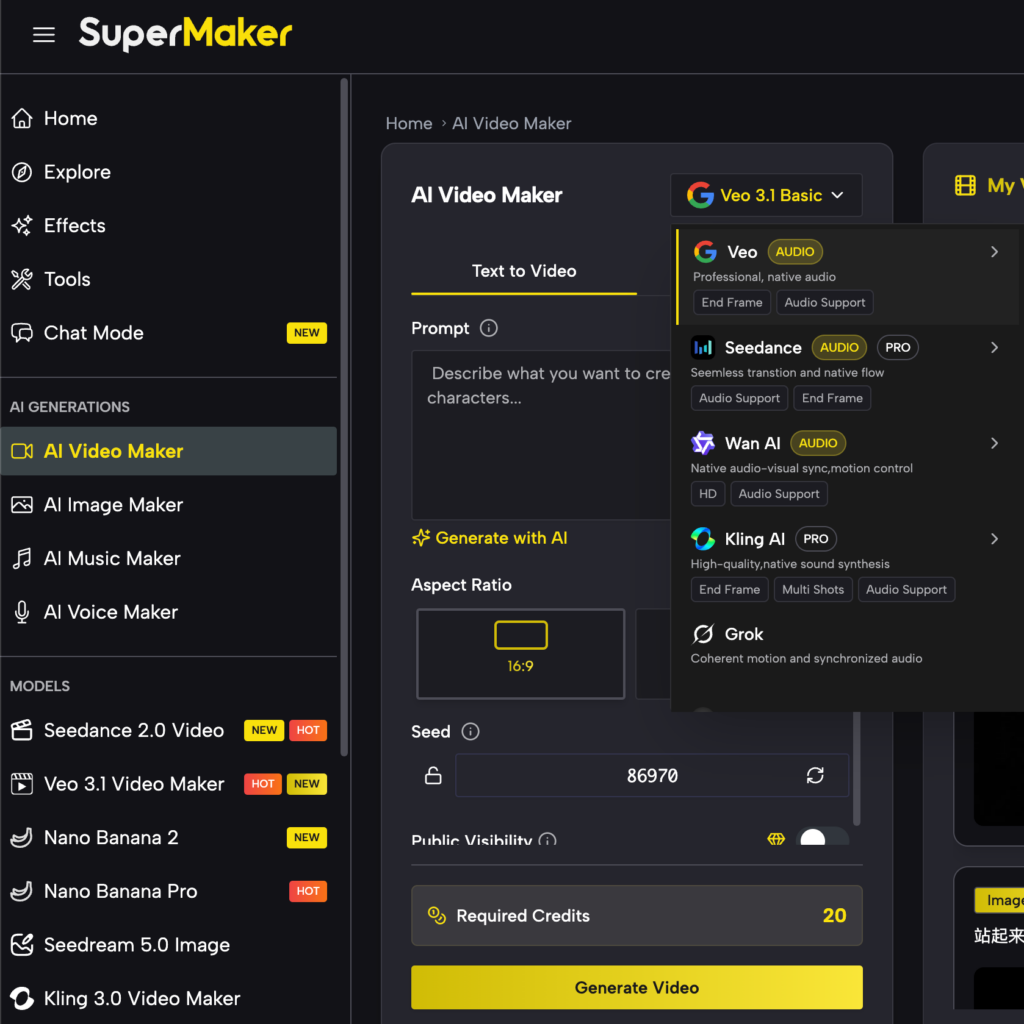
How to Use SuperMaker’s AI Image Maker
Getting started takes less than a minute:
Visit supermaker.ai and create a free account — no credit card required.
Navigate to the AI Image Maker section and select your preferred model (GPT Image 2 for photorealistic output, Nano Banana Pro for stylized work, Z-Image Turbo for speed).
Enter your prompt — describe the subject, style, lighting, and mood in natural language.
Generate and review — the AI produces your image within seconds. Iterate on the prompt or switch models if needed.
Enhance — apply effects, remove backgrounds, restore details, or convert to 3D using the built-in editing tools.
Save to your Assets Library — organize your output for reuse across image and video projects.
Frequently Asked Questions About Veo 3
Can multiple team members use SuperMaker on the same account?
SuperMaker offers subscription plans suited to different usage levels. For team deployments, the Assets Library provides shared access to generated content, keeping all team output organized in one place.
Is the content generated commercially safe to use?
With a paid plan, SuperMaker grants commercial rights to content created on the platform. Teams should review the current terms of service for full licensing details before use in client-facing or paid campaigns.
How does SuperMaker compare to hiring a freelance designer for image work?
For high-volume, repeatable visual tasks — product shots, social graphics, campaign variations — SuperMaker is significantly faster and more cost-effective. For highly bespoke creative work requiring deep brand interpretation, a designer’s judgment still adds value. Most teams use both.
Does the platform require design expertise to operate?
No. SuperMaker is built for non-designers. The Chat Mode accepts natural language descriptions, and the generation workflow is guided enough that anyone on a content or marketing team can produce usable output on their first session.
Conclusion
The gap between teams that produce visual content efficiently and those that don’t is widening — and in 2026, AI image generation is the deciding factor. SuperMaker brings together multi-model generation, a professional editing suite, and integrated asset management in one platform designed for real business workflows.
If your team is spending too much time and budget on visual content production, explore SuperMaker for free and see how much faster your workflow can move.